
Mana client 0.8 released
The Manasource organisation is pleased to announce the release of Mana 0.8, one year after the client came back to life with Mana 0.7. It brings over a hundred changes to further improve the experience for playing The Mana World and its spin-off Source of Tales.
Drag and drop, everywhere
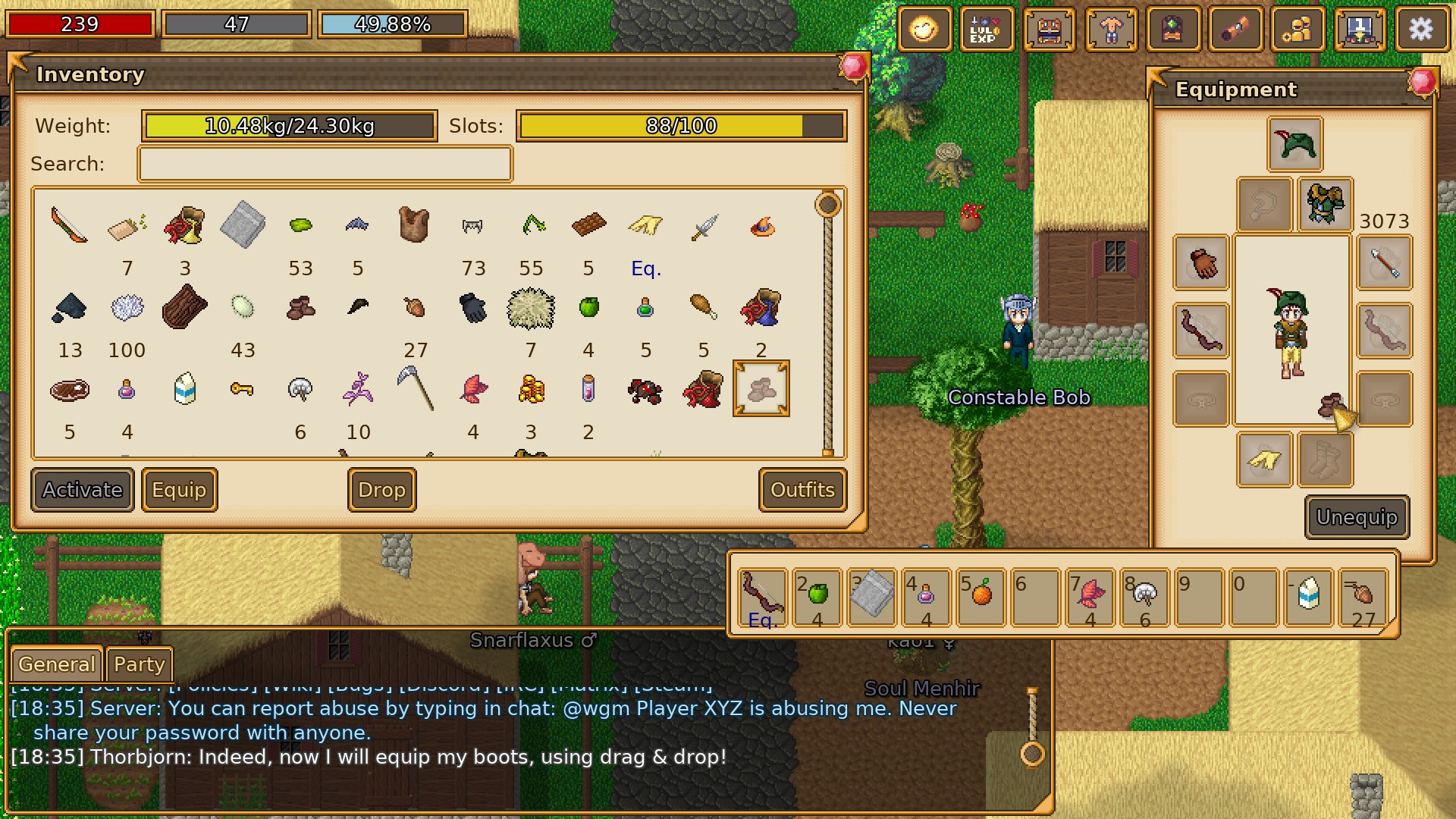
Items can now be dragged between every window that holds them: inventory, storage, trade, shortcuts, equipment, NPC dialogs, outfits and the chat. The Outfit window grew up alongside it, taking any number of items and equipping an outfit now cycles through items that share an equipment slot.
Combat and NPCs
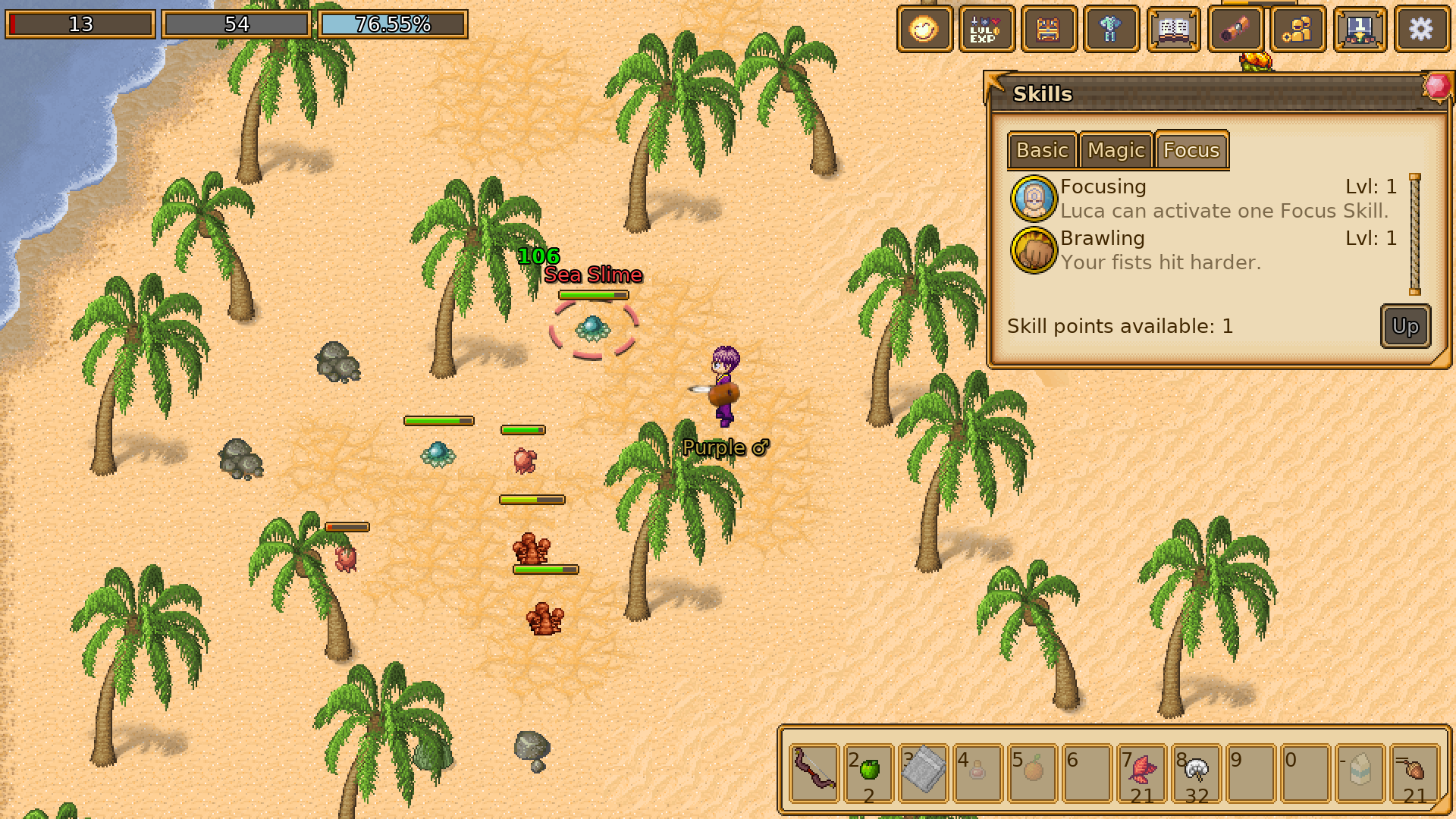
Monsters now show a health bar when you damage or target them, so you can see how a fight is going at a glance. Sprites can define diagonal directions, walking to an item stops next to it rather than on top of it, and the pickup range is configurable. NPCs can ask you for items and refer to monsters as links in their dialogs. Quest effects can require a minimum player level, skills can define per-level descriptions, and the item popup can now display all modifiers used by The Mana World.
Comfort
The client is easier to live with in a number of small ways:
- The server dialog shows whether each server is online before you try to connect to it.
- The language can be picked in the Interface settings instead of following the system, listing each installed translation in its own language.
- Alt+Enter toggles between windowed and fullscreen.
- The player lists in the Social window have context menus, and context menus in general were restyled and now close on Escape or a click elsewhere.
- Being overweight is a chat message and floating text now, rather than a dialog interrupting what you were doing.
- The window menu buttons indicate which windows are currently open, and the chat log stays put at the bottom when you shrink the chat window.
- Input lag was reduced when using the SDL renderer with an OpenGL backend.
For Windows users, there are now ARM64 builds, and the installer automatically disables portable mode when installing in the default Program Files location (and the client now refuses to run in portable mode when it can’t write to its installation directory).
The full changelog can be found in the repository.
Getting the Release
The release is available as Windows installer, macOS app bundle and Linux snap, Flatpak or AppImage. Check out the download page for all the links!
Contribute / Feedback
Any feedback is welcome, and so is any help. The client is easy to compile on all platforms, and the CI produces packages for each of them on every change, so improvements are immediately available to players that want to help with testing.
One thing worth pointing at: better support for casting magic spells is being worked on, but it is a large change and it is not in this release. Spells would be described by the game data and appear in an Abilities window, castable from there or from the shortcut bar. It needs more feedback before it settles into its final shape. If that interests you, the client change and related data change are open for testing and comments.
Translations are another good place to help! There was effectively no “string freeze” this time, so most languages have gaps to fill on Weblate.
Join us on IRC or Discord or open issues in the appropriate repository. Thanks to everybody who shared their feedback!